
Watch your teen go from AI user to AI builder.
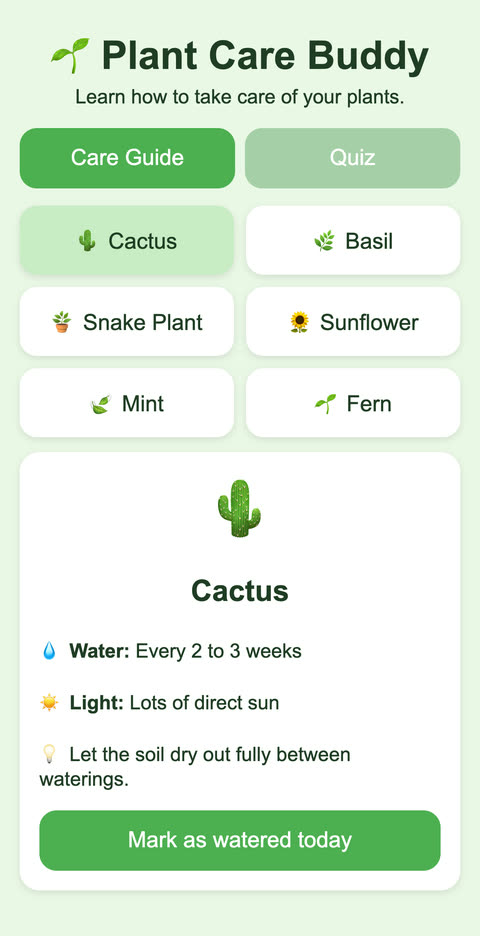
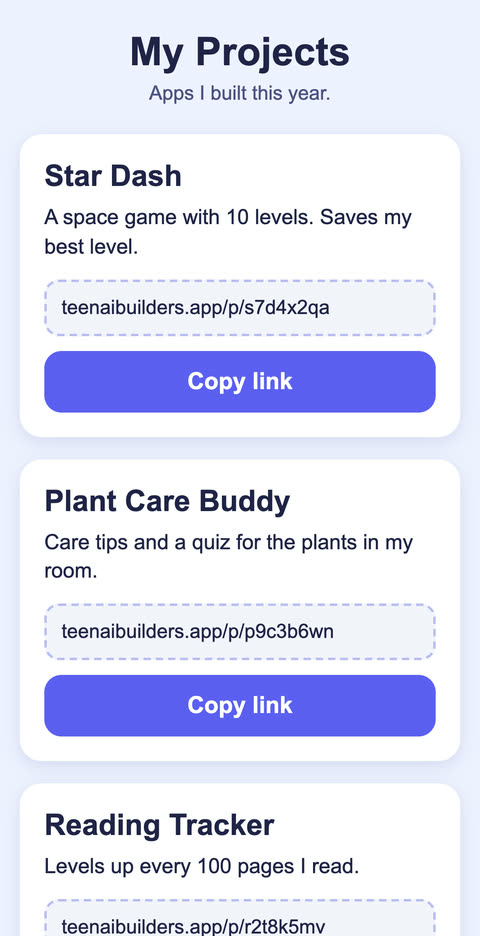
Live on its own link
Real apps they build with AI and publish on their own link. Ages 13-17.
Free · parent email only · no card
Why it's worth their screen time
Builders, not just usersAI is already part of their world. Here they learn to make things with it.
Screen time with something to showEvery lesson ends with a new piece of their own app.
A real app, with its own linkThey open it on a phone and share it with the family.
Safe by designPersonal details are held back from the AI, and you get an email each time they publish.
Fits a school weekLessons of 3-5 minutes, at their own pace. No coding needed.
One payment, no subscriptionFull refund within 5 days if it isn't right for your teen.
What your teen builds
- Starter, 9 lessonsTheir first app, live on its own link.
- Full course, 35 lessonsFive more apps: a study app, a game, a personal page, a creator planner for their own videos and a project of their own.
- No coding neededThey describe each change, test it on a phone and decide what stays.
How it works
- Watch a 3-5 minute video lesson
- Build that step in the Lab, with AI
- Publish it. You get the link by email

Matilda teaches the free lesson and the Starter, one step at a time.
Made for parents
- Their own project, not homework.
- You sign up. We never ask for your teen's name.
- Personal details are held back before a request reaches the AI.
- No live classes and no chat with strangers.
- An email with the link each time they publish, and a button to take it down.
One payment. No subscription.
Starter course
US$19 one-time
9 lessons · their first app
If it isn't right for your teen, email [email protected] within 5 days for a full refund.
Full course
US$59 one-time
35 lessons and 5 bonus lessons · six apps
If it isn't right for your teen, email [email protected] within 5 days for a full refund.
Already have the Starter? Get the upgrade for US$40 one-time, with the same email address you used for the Starter. No change-of-mind refunds on the upgrade.
Not sure yet? Start with the free lesson
Get the free lesson
About 20 minutes in the Lab. Confirm your email and the lesson opens.
Check your inbox to confirm.
We sent you a link. Click it and the free lesson opens right away. If you don't see it, look in spam or promotions.
Thank you. Your answers help us decide what to teach next.
Questions parents ask
Is the free lesson really free?
Yes. No card and no trial that turns into a payment. You give a parent email, confirm it, and the lesson opens. The Starter course is a separate purchase, only if you want it.
Is this cheating?
Not when it's their own project. The lessons are about building something of their own, not schoolwork. They finish with an authorship card that says what they did and what the AI did. If their school has rules about AI, those still apply to schoolwork.
Can't they just use a chatbot?
They can, and many already do. The lessons add an order to follow, help at the usual sticking points and an email to you each time they publish an app. They run in our Lab, in the browser: nothing to install and no account for your teen.
Does my teen need to know how to code?
No. They describe what they want in plain English and use AI tools to build it. They learn how apps fit together along the way.
What does my teen need?
A computer works best for building. A phone works too, but the screen is small. Use the same device and browser each time because progress is saved in that browser.
How involved do I need to be?
Not much. You do one safety check together in Lesson 3. When they publish an app, you get an email with its link and a button to take it down. The rest they do on their own.
How long does it take?
The free lesson takes about 20 minutes in the Lab: video steps with Matilda, and they build as they go. Starter lessons are 3-5 minutes of video each, plus the task at the end: about 35 minutes of video for all 9. Your teen goes at their own pace.
Which AI tools do you use?
One AI, inside our Lab. Your teen doesn't sign up with any AI company. Before a request goes to the AI, the Lab looks for personal details and holds back the requests where it finds them. The lessons also teach your teen never to type them. The privacy notice names the provider and what it keeps.
Can I get a refund?
Yes. Email [email protected] within 5 days of buying for a full refund.
Can your teen build something with AI? Find out in about 20 minutes.
Free · parent email only · no card